


You’ll requiere a gub.uy user to conduct most of your goverment related paperwork in Uruguay.
The following information is required:
- Name and Middle name (in the same field)
- Surname
- Second name, maiden name or mother’s maiden name (it’s optional to register but the website will demand that information when you apply for paperwork).
- Foreign passport number (including letters)
- Password twice

Once you obtain your Uruguayan ID card you must create a second gub.uy user based on that new Uruguayan ID, authenticate it and delete your passport based gub.uy user.
For that you must download, fill out and sign the form above accompanied by a photocopy of the front and back of your Uruguayan ID. One marked “Modificar datos” (Modify information, in this case, to validate) with your Uruguayan ID card based gub.uy user’s information:
- Date/Month/Year (that you’re presenting the form)
- Personal creation (create user) / Modify information (validate user) / Delete user
- Uruguayan ID card / Passport OR Other (Uruguayan ID Card to validate user, Passport or Other to delete user)
- First, Middle Name, Surname and Second Surname (exactly as shown in the Uruguayan ID card associated to the form)
- Email (that will be associated to the gub.uy user, you can choose any email to delete the passport ID based gub.uy user)
- Signature
- Clarification in print below (Aclaración de firma)
- Uruguayan cellphone number (write it next to your signature)
And a second form to delete your passport based gub.uy user accompanied by a photocopy of said passport. Marked “Borrar cuenta” (Delete user) with your passport based gub.uy user’s information:
- Date/Month/Year (that you’re presenting the form)
- Personal creation (create user) / Modify information (validate user) / Delete user
- Uruguayan ID card / Passport OR Other (Uruguayan ID Card to validate user, Passport or Other to delete user)
- First, Middle Name, Surname and Second Surname (exactly as shown in the passport associated to the form)
- Email (that will be associated to the gub.uy user, you can choose any email to delete the passport ID based gub.uy user)
- Signature
- Clarification in print below (Aclaración de firma)
- Uruguayan cellphone number (write it next to your signature)
You’ll receive an email from info@usuario.gub.uy when the process concludes.
The corresponding forms and photocopies must be presentes personally at a Citizen Assistance Office (Punto de Atención Ciudadana): https://www.gub.uy/politicas-y-gestion/puntos-atencion-ciudadania-departamento
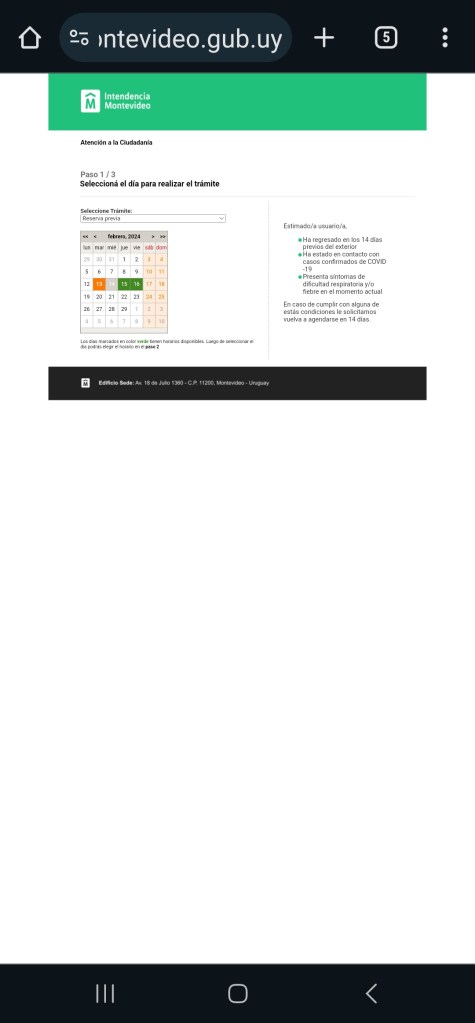
Montevideo’s main office for this application is located at the back of the Municipal Building downtown. You can schedule an appointment and obtain an immediate deletion and approval of your government users.
C. Soriano 1351 & Ejido (BACK ENTRANCE), Downtown District, Montevideo

Municipality of Montevideo’s scheduling website
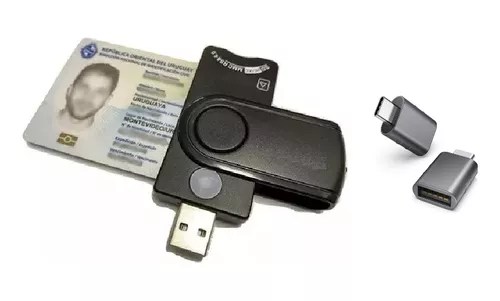
You can use a smart card reader to access your gub.uy user with your Uruguayan ID card at the highest clearance level. It’ll allow you to sign digitally and only a 4 digit PIN number is required (it’s registered at the ID office when you pick up your Uruguayan ID card). It also prevents any glitches from happening.
The majority of the Uruguayan Post Offices have a Citizenship Assistance Office.

 Aldo’s Relocation Service